
Calendar fundraiser template: the grid, the pricing, and the messaging, ready to copy
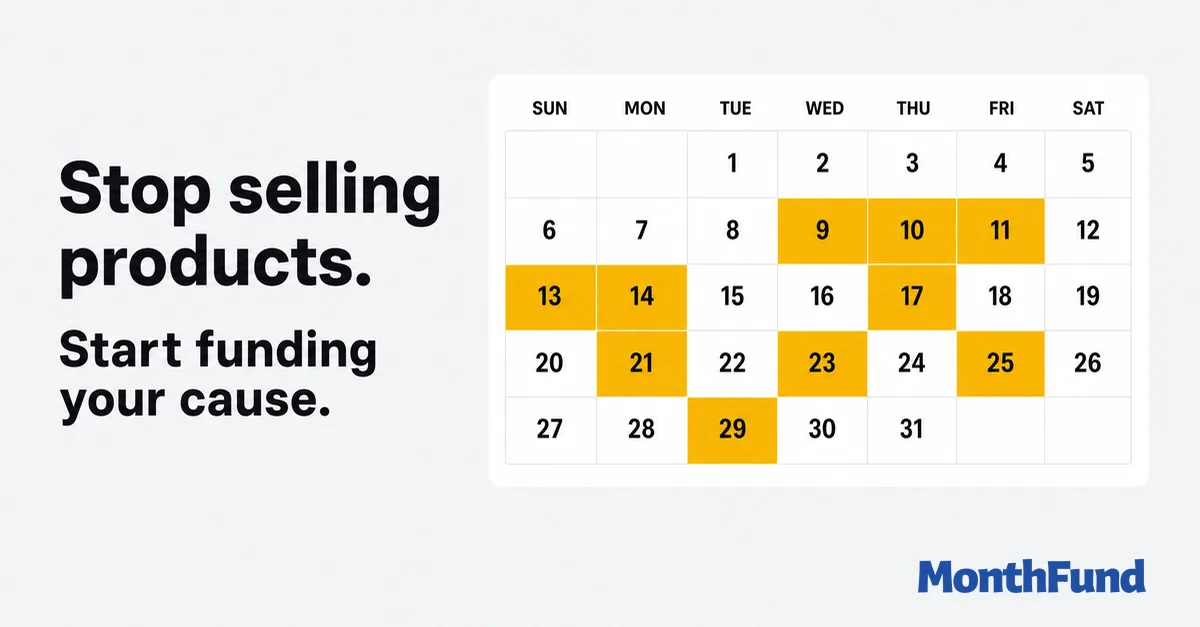
Most searches for a calendar fundraiser template end at a blank month grid, which is the least important part. The grid takes five minutes. What makes the month work is the pricing ladder, the two lines of copy at the top, and the tracking sheet nobody thinks about until the cash box is open. This is the whole template, spelled out, so you can rebuild it in any doc or spreadsheet in about twenty minutes.
“A calendar fundraiser template is four parts: a 31-box month grid where each day shows its dollar value and a space for a name, a pricing ladder (the classic day-equals-dollars version totals $496), a two-line header that names the cause and the deadline, and a tracking sheet for who claimed what and whether they paid. Build it in Google Sheets, Docs, or Canva, or run the same structure digitally with live progress and automatic receipts.”
The calendar fundraiser is one of the few formats you can fully specify on a single page, which is why the pick a date model predates every platform that now runs it. Below is the complete template: grid, pricing, copy, tracking, and the messages that fill it. Copy it into whatever tool you like.
What the template contains
Four pieces, in order of how often people forget them: the month grid everyone pictures, the pricing ladder that sets your total, the header copy that makes a stranger understand the ask in five seconds, and the tracking sheet that saves your treasurer at the end of the month. A template missing the last two is a poster, not a fundraiser.
The grid
A standard month layout: seven columns for the weekdays, five rows of boxes, printed landscape on letter paper if it is going on a wall. Each day's box carries three things:
- The day number, large. This is the price tag, so make it the biggest thing in the box.
- The dollar value. Redundant with the number in the classic ladder ($14 on Day 14), but print it anyway; the moment you use a different ladder, the amount is the information.
- A blank line for the name. The public name is the mechanic. A claimed day with a visible name tells everyone else the grid is moving, which is why the calendar structure works in the first place.
In Google Sheets, this is a 7-column table with tall rows. In Canva or Docs, any monthly calendar layout works once you add the amount and the name line. Twenty minutes, no design skill required.
Three pricing ladders
The ladder decides your ceiling, so pick it before you print. Three versions cover nearly every campaign:
| Ladder | Day 1 | Day 15 | Day 31 | Full-grid total |
|---|---|---|---|---|
| Classic (day = dollars) | $1 | $15 | $31 | $496 |
| Doubled (day x 2) | $2 | $30 | $62 | $992 |
| Half (day x 0.50) | $0.50 | $7.50 | $15.50 | $248 |
The classic ladder is the default for a reason: $496 per full calendar is a knowable, plannable floor, and the low early days give everyone an honorable entry point. Double it for adult networks that will not blink at $62; halve it for classrooms and kids' campaigns where the givers are other kids. Whatever you choose, treat the amounts as floors. Donors regularly give above the day value, and that uplift is worth real money over a month.
The header and the pitch
Two lines at the top of the page, and they matter more than the grid design. Line one names the cause and the number. Line two explains the mechanic. For example:
Help Room 14 fund its field trip: $496 fills this calendar. Pick a day, give that amount, and write your name in the box.
Resist adding more. The bottom margin gets the logistics in small print: the deadline ("calendar closes October 31"), where the money goes, and how to pay. If you are collecting by cash and check, name who collects. If supporters can pay online, print the link and a QR code next to the grid.
The tracking sheet
The unglamorous piece that decides whether your month ends with a clean total or a counting session. One row per day, six columns: day number, amount, claimed by, contact, paid (cash, check, or online), and thanked. Keep it as a second sheet in the same spreadsheet as the grid, and update it the same day a claim happens. A week of lag is how two people end up on Day 14 and one of them ends up unthanked.
The reconciliation rule
Messages to copy
The template fills at the speed of the messages around it. Three you will need, ready to adapt:
- Launch. "We're running a calendar fundraiser for the team this month. Every day has a dollar amount, you pick a day and give that amount. I took Day 18. Can you grab one?"
- Mid-month. "Halfway there: 17 of 31 days claimed. The 20s are mostly open if you want a day, and every claim shows up on the calendar with your name."
- Final week. "Four days left on the calendar: 24, 27, 29, and 30. Whoever takes 30 closes out the biggest open day of the month."
Twenty-one more, covering launch day, sponsor matches, and thank-yous, live in the message template library. Our free template collection also has editable letters and trackers for schools, teams, and faith communities.
Paper or digital
Everything above works on paper, and for one room of people who walk past the wall every day, paper is genuinely fine. It stops being fine when donors are remote, when several participants each need their own grid, or when the treasurer has to reconcile marker against a cash box. Digital vs. paper walks the tradeoff honestly.
The digital version of this template is exactly what MonthFund is: the same 31-day structure with a shareable link, a live grid every donor can watch, one page per participant, and payment records that replace the tracking sheet. The template does not change; the clerical work disappears.
Next steps
Build the grid, pick the ladder, write the two header lines, and assign the tracking sheet. Then plan the month itself with the full playbook, or skip the marker and launch the digital version free.
How much can your community raise?
Use our interactive calculator to model your potential outcomes based on participant count and fill rate.
Ready to launch?
Set up your first fundraiser in under 10 minutes. No credit card required.
Common Questions
Is there a free printable calendar fundraiser template?
You can build one free in about twenty minutes: a month grid where each box shows the day number as a dollar amount and leaves space for a supporter's name. This article spells out the full layout, pricing options, header copy, and tracking sheet so you can recreate it in Google Sheets, Docs, Canva, or on paper. No signup or download required.
How much does a calendar fundraiser template raise?
The classic version, where Day 1 costs $1 through Day 31 at $31, totals $496 when every day is claimed. A doubled ladder totals $992. Real campaigns land above or below the face value depending on fill rate and whether donors round up, so plan with a realistic fill percentage rather than the perfect-grid number.
How do you make a calendar fundraiser in Google Sheets?
Lay out a 7-column grid, one column per weekday, and fill in the day numbers for your month. In each cell put the day number, its dollar value, and a blank line for the supporter's name. Widen the rows so names are writable if you print it, add a title row naming your cause and deadline, and keep a second sheet as the tracking log.
What do you write on a calendar fundraiser?
Two lines at the top do the work. Line one names the cause and the number: 'Help Room 14 fund its field trip: $496 fills the calendar.' Line two explains the mechanic: 'Pick a day, give that amount, write your name in the box.' Everything else, dates and payment instructions, goes in small print at the bottom.
Can you run a calendar fundraiser online instead of on paper?
Yes, and most campaigns that involve more than one room now do. The structure is identical: 31 days, each with a dollar value, claimed by name. A digital grid adds a shareable link, live progress anyone can see, one page per participant, and automatic payment records, which removes the tracking sheet entirely.
Keep Exploring
View all posts →Calendar Fundraiser Roles: A People-Powered Guide
Clarify the organizer, community fundraiser, and supporter roles that turn many personal asks into one clear shared campaign.
Pick a Date to Donate: Supporter Guide
Learn how to choose an open date, give its suggested amount or more, and understand the claim-a-day experience before donating.
How calendar fundraisers fit with galas, catalogs, and other fundraising (toolkit, not replacement)
MonthFund is one powerful layer in a larger toolkit. See how a calendar month complements product sales, ticketed events, and open donate pages, with patterns you can use around a 5K or gala.